
Soundcraft Ui24R Review: Rack Mixer Guide for Aussie Gigs 2026
Soundcraft Ui24R Review: The Rack Mixer That Changed What Small Venues Expect
There's a specific moment that sells people on the Soundcraft Ui24R. You're standing in the middle of a room during soundcheck, tablet in hand, listening to the PA from where the audience will actually be — not from a mix position tucked behind a pillar or crammed into the back corner near the toilets. You pull 400Hz out of the vocal, hear it clear up in real time, and realise you've been mixing blind for years.
That's the pitch. Whether it's the right mixer for you is a more complicated question, and this guide is going to answer it honestly — including the parts where the Ui24R isn't the answer.
What the Ui24R Actually Is
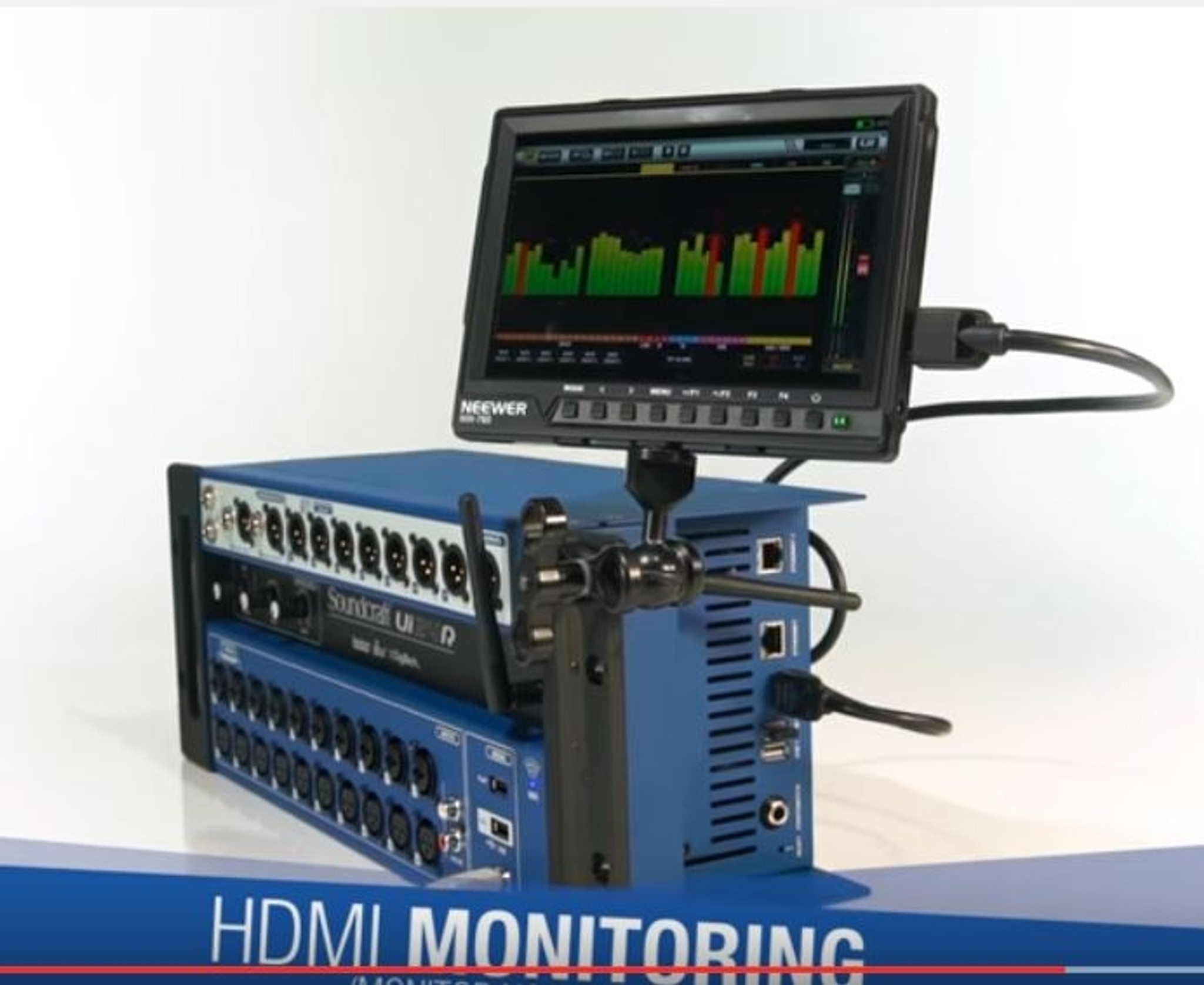
The Ui24R is a 24-input digital mixer with no faders, no screen worth mentioning, and no knobs beyond a handful of utility controls. It's a 3U rack box that you patch into, plug a network into, and then control entirely from a web browser on a phone, tablet, or laptop. No app to download, no proprietary software, no operating system requirements — if the device runs a modern browser, it runs the mixer.
That last point matters more than it sounds. Most competing mixers require you to install a manufacturer's app, which means you're at the mercy of whether they've updated it for the latest iOS or Android release. The Ui24R's HTML5 interface sidesteps that entire category of problem. A five-year-old Android tablet from a pawn shop works. So does a MacBook, an iPhone, a Windows laptop, and a Kindle Fire.
The Core Specification
| Feature | Detail |
|---|---|
| Total inputs | 24 (20 mic/line + 2 line + digital returns) |
| Microphone preamps | 20 studio-grade with individually switchable phantom power |
| Combo inputs | 2 (XLR/TRS, Hi-Z capable for guitar/bass DI) |
| Outputs | 10 mix buses (aux/subgroup assignable) + main L/R |
| Onboard DSP | dbx AFS2 feedback suppression, Lexicon reverb/delay/chorus, DigiTech amp modelling |
| Channel processing | 4-band parametric EQ, high-pass filter, gate, compressor, de-esser per channel |
| Recording | 22-track multitrack to USB, plus separate stereo recording |
| Playback | Dual-stream stereo media player |
| Connectivity | Built-in dual-band Wi-Fi access point, Ethernet, 2× USB |
| Simultaneous control devices | Up to 10 |
| Form factor | 3U rack mount (rack ears included) |
Twenty studio-grade preamps in a box this size is the headline number, but the more interesting figure is ten. Ten people can connect to the mixer at once, each with their own view. That's the feature that quietly reshapes how a band or a venue operates.
Want the full specification sheet and current pricing? View the Soundcraft Ui24R at MusicOnStage — shipping Australia-wide.
The Multi-User Thing Is Not a Gimmick
Here's how this plays out in practice at a pub gig. The engineer runs front of house from a tablet. The drummer has their phone locked to their own monitor mix and pulls the guitar down 3dB when it's washing out the hi-hat. The vocalist adds a bit more of themselves without waving frantically at the desk between songs. The venue manager, who has admin access, can mute everything from behind the bar if the noise complaint arrives.
The Ui24R handles permissions properly. You set up a full admin account, and then restricted accounts that only see specific aux sends. The bass player can't accidentally solo the kick into the main PA because they simply don't have that control on their screen. This is where the Ui24R genuinely earns its price — it removes an entire category of soundcheck friction that costs you fifteen minutes every single gig.
The realistic caveat: musicians need about ten minutes of training. Some will love it. Some will fiddle constantly and make their own monitor mix worse. You'll learn quickly which is which.
Sound Quality and the Processing Chain
The preamps are the same lineage Soundcraft has been refining since the Ghost and Vi consoles. They're clean, they've got enough gain for a ribbon mic or an SM7B (though at extreme gain settings you'll hear some hiss, as you would on most mixers in this class), and they handle a hot kick drum signal without getting brittle.
What genuinely distinguishes the Ui24R from generic competitors is the licensed processing:
- dbx AFS2 feedback suppression — This is the real dbx algorithm, not an imitation. It runs in two modes: a fixed mode you set during soundcheck, and a live mode that keeps hunting during the show. For a venue with a difficult room, a nervous presenter with a handheld, or a house of worship with lapel mics, this feature alone justifies a big chunk of the cost.
- Lexicon effects — Four dedicated effects engines with reverbs, delays, chorus, and a doubler. The plate and hall reverbs are genuinely usable on vocals without much tweaking, which is more than can be said for the stock reverbs on a lot of gear at this level.
- DigiTech amp modelling — Plug a guitar straight into one of the Hi-Z combo inputs and get a workable amp tone. Not a replacement for a real rig, but excellent for silent stages, small acoustic-electric setups, and rehearsal.
- Per-channel dynamics — Gate, compressor, de-esser, 4-band parametric EQ and HPF on every input. Nothing is shared or rationed; you're not choosing which four channels get a compressor.
On the master bus you get a 31-band graphic EQ, a dual-threshold limiter, and RTA — plus the same on each of the 10 mix buses, which matters enormously if you're ringing out wedges.
Recording: Better Than It Has Any Right to Be
The 22-track USB recording is a legitimately significant feature and the reason a lot of bands buy this over cheaper alternatives. Plug in a decent USB drive, hit record, and you capture every input as a discrete WAV file. Take it home, drag it into your DAW, and you have a live multitrack of the gig for mixing, for virtual soundcheck, or for reviewing what actually went wrong in the second set.
A few practical notes learned the hard way:
- Drive quality matters enormously. Cheap USB sticks will drop out mid-set. Use a proper SSD or a known-good high-endurance drive, formatted correctly, and test it before a paid gig — not during one.
- Record the two-track as well. The Ui24R does stereo recording alongside multitrack. It's your safety copy and your instant reference mix for the band.
- The USB audio interface mode is 22-in/22-out. You can use the Ui24R as a computer interface, which makes it viable for a small studio or streaming rig — a genuinely useful dual life for a piece of gear that would otherwise sit in a flight case between weekends.
Virtual soundcheck deserves a specific mention. Record Friday's show, play it back through the mixer on Saturday afternoon, and dial in your mix in an empty room without a single musician present. For house-of-worship volunteers and venue engineers training new staff, this is transformative.
Let's Talk Honestly About the Downsides
Any review that doesn't cover these is not being straight with you.
Wi-Fi Is a Real-World Variable
The built-in access point is fine in a quiet RF environment. In a packed Melbourne pub with two hundred phones, a competing venue Wi-Fi, the pokies network and a Bluetooth speaker behind the bar, the 2.4GHz band is a warzone. The Ui24R supports 5GHz, which helps considerably, but the professional answer is to run a dedicated external router over Ethernet and turn the internal AP off. Budget for a decent router. Treat it as part of the purchase, not an optional extra.
Crucially: if the Wi-Fi drops, the audio does not stop. The mixer keeps passing signal with its current settings. You lose control until you reconnect, not the show. That's an important distinction, but it's cold comfort if you needed to mute a feeding mic and couldn't.
No Physical Faders
Touchscreen mixing is genuinely slower for some tasks. Grabbing four faders at once during a chaotic changeover is something a physical surface does better, full stop. If you mix fast-moving theatre cues or corporate events with rapid-fire presenter changes, a fader-equipped mixer will serve you better. Many owners solve this by pairing the Ui24R with a USB fader controller, but out of the box, it's a screen.
Latency and Device Dependence
Control latency is low but not zero, and it varies with your device and network. An old, struggling tablet on a congested network will feel sluggish. A modern iPad on a dedicated 5GHz network feels immediate. Your experience of this mixer is partly a function of the hardware you point at it.
The Interface Has Rough Edges
The web UI is dense. Small controls on a phone screen require precision, and there are moments where you'll wish a function was one tap away instead of three. It's very capable, but it isn't the most elegant interface in the category. Allen & Heath's touchscreen implementations feel more polished; the Ui24R feels more like a very powerful tool than a beautifully designed one.
The Platform Is Mature, Not New
The Ui24R has been on the market for several years. That's a double-edged fact: the firmware is stable and the quirks are well documented across a large user community, but you're not buying cutting-edge silicon. Newer competitors offer 96kHz operation and Dante networking that the Ui24R doesn't. If you need Dante for a fixed install that ties into a larger system, look elsewhere.
Who Should Buy This — And Who Shouldn't
Strong Fit
- Bands who mix themselves. The single best use case. Set up, walk into the room, mix from the audience position, record the gig, pack down in a rack case. No dedicated engineer required.
- Houses of worship with volunteer teams. Feedback suppression, save/recall of scenes, restricted user accounts, and virtual soundcheck for training. It's almost purpose-built for this environment.
- Small to mid-size venues (up to ~300 capacity). Twenty preamps covers almost any pub band comfortably, and you reclaim the floor space a mix position would eat.
- Hire companies. Rack it, ship it, and it survives. The lack of exposed faders is genuinely an advantage when gear goes out to clients.
- School and community theatre. Recallable scenes plus multi-user monitor control suits variable, volunteer-run productions.
Look Elsewhere If
- You need physical faders for fast, tactile mixing under pressure.
- Your install requires Dante or AES67 networking.
- You're mixing large festival stages needing 32+ inputs and extensive matrix routing.
- You're working in RF-hostile environments where you can't run a dedicated cabled network.
- You have fewer than 12 inputs and no recording needs — the smaller Ui16 saves you real money for the same core experience.
Think it's the right fit? Check current Soundcraft Ui24R availability and pricing — authorised Australian dealer with genuine Harman warranty.
Australian Buying Considerations
A few things that specifically matter if you're buying here rather than importing.
Warranty and support. Soundcraft sits under the Harman umbrella, which has established Australian distribution and service. Buying from an authorised local dealer means your warranty is honoured domestically — you're not shipping a 3U rack unit back to the northern hemisphere at your own cost. Grey imports routinely fail this test, and the freight on a failed warranty claim will erase whatever you saved.
Power. Australian-supplied units come with the correct 240V supply and plug. Imported stock often arrives with a US power supply and a travel adapter, which is both a compliance issue and a genuine reliability risk in a rack that lives in a van.
Wi-Fi regulations. Australian channel allocations differ from US ones. Locally distributed units are configured appropriately; imported hardware can behave oddly on channels that aren't legal here.
Rack it properly. Do not transport this mixer loose. A 4U or 6U shockmount rack with the Ui24R plus a router and power conditioning turns it into a genuine turnkey system that goes from van to stage in under five minutes. Australian gigging distances being what they are, the road case is not optional.
Setup Advice From Actual Use
- Update the firmware before your first gig, not after. Ship firmware may be well behind current. Do it at home on a stable connection.
- Turn off the internal Wi-Fi and use an external router. Connect via Ethernet, set a 5GHz network with a strong password, disable its internet access entirely. This single change resolves the vast majority of complaints people have about this mixer.
- Build and save a default show file. Name your channels, set your HPFs, patch your monitor sends, save it. Recall it at every gig and you start from a known good state rather than from scratch.
- Set AFS2 during soundcheck in fixed mode, then switch to live mode for the show. Letting it hunt from cold during the first song produces odd results.
- Keep one control device on Ethernet if you can. A laptop hardwired to the router is your fallback if the wireless goes strange mid-set.
- Label the physical inputs. There's no screen showing you what's plugged in where. A label maker on the rear panel saves you real grief at 11pm.
Common Questions
Can I use it without any Wi-Fi at all?
Yes — connect a computer directly by Ethernet and control it through a browser. Many fixed installs run this way for maximum stability.
What happens if my tablet battery dies mid-show?
The mix continues exactly as it was. Grab another device, connect, log in, and you're back in control. Because up to ten devices can be connected, most engineers keep a second one logged in as a live backup.
Is 24 inputs enough for a full band?
For a five-piece rock band with a proper drum kit: yes, comfortably. A typical allocation might be 7 on drums, bass DI, two guitars, keys stereo pair, three vocals, and playback — that's around 16, leaving genuine headroom. You'll only feel tight with large drum setups, horn sections, and extensive playback simultaneously.
How does it compare to the Behringer X Air XR18?
The XR18 is cheaper and has fewer inputs (16 vs 24). The Ui24R has better preamps, the licensed dbx and Lexicon processing, more recording tracks, and the browser-based control that avoids app dependency. The XR18's app is arguably more refined. If budget is the deciding factor, the XR18 is a reasonable choice; if you want more inputs, better processing and multitrack recording, the extra outlay on the Ui24R is justified.
Can it stream audio to a computer for live streaming?
Yes. The 22-in/22-out USB interface means you can feed a dedicated stream mix straight into OBS or similar. Build a separate mix bus for the stream so your broadcast mix is independent of what the room hears — the room mix is almost never right for a stream.
Does it work with iPhones and Android phones simultaneously?
Yes. Any browser-capable device works, and they can be mixed freely across platforms. This is one of the Ui24R's genuine practical advantages over app-dependent competitors.
The Verdict
The Soundcraft Ui24R is not the newest, prettiest, or most feature-dense mixer you can buy in 2026. It doesn't do 96kHz, it doesn't do Dante, and its interface won't win design awards.
What it does is solve a very specific set of real problems exceptionally well: mixing from the room instead of a corner, letting musicians control their own monitors without a soundcheck argument, suppressing feedback with an algorithm that genuinely works, and capturing a proper multitrack recording of every show you play — all in a rack box that fits under a bass amp in the back of a van.
Buy it if you're a self-mixing band, a volunteer-run church, a small venue, or a hire company. Skip it if you need faders under your hands, Dante on your network, or channel counts beyond 24. And whatever you decide, if you do buy one, budget for a good external router — it's the difference between loving this mixer and cursing it.
Browse the Soundcraft Ui24R at MusicOnStage — genuine Harman stock, full Australian warranty, and shipping right across the country.