
Soundcraft Ui24R: Complete Guide to the Rack-Mount Digital Mixer 2026
Soundcraft Ui24R: The Rack-Mount Digital Mixer That Puts Full Control on Your Tablet
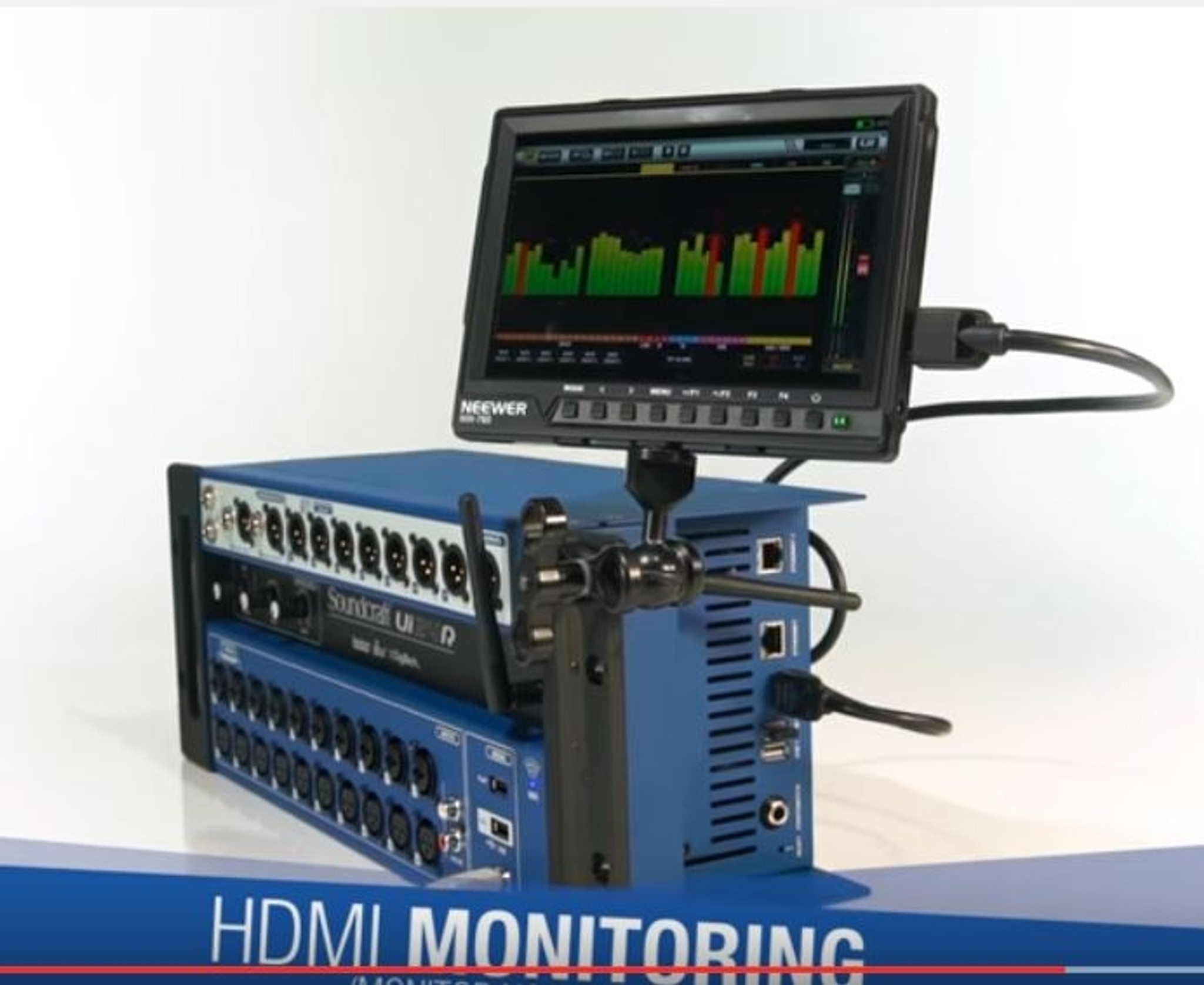
If you've ever wished you could mix a live show from anywhere in the venue — or run an entire installed sound system without a bulky console taking up space — the Soundcraft Ui24R deserves a serious look. This 24-channel, rack-mountable digital mixer strips away the physical faders and knobs entirely, giving you full control from any device with a web browser. No proprietary app required, no platform limitations, just open a browser on your tablet, phone, or laptop and you're mixing.
But here's the thing that actually sets the Ui24R apart from every other rack mixer in its class: it comes loaded with Lexicon reverbs and delays, dbx dynamics processing, and DigiTech guitar effects built right in. These aren't budget imitations — they're the same algorithms from three of the most respected names in professional audio processing. That's a genuinely significant advantage that we'll dig into properly throughout this guide.
Whether you're running live sound for a venue, managing audio for a house of worship, recording multitrack sessions, or handling corporate AV installations across Australia, this guide covers everything you need to know about the Ui24R to decide if it's the right fit for your setup.
Want to see current pricing and availability? Check the Soundcraft Ui24R at MusiconStage with shipping across Australia.
What Makes the Ui24R Different From Traditional Mixers
The Soundcraft Ui24R belongs to a category that's become increasingly popular in professional audio: the headless rack mixer. There's no physical mixing surface at all. The entire unit fits into a standard 19-inch rack at just 4U high, and every mixing function — from gain adjustments and EQ to effects sends and multitrack recording — is handled through a built-in web server that you access from any HTML5-compatible web browser.
This approach solves several real-world problems that traditional console users deal with constantly. There's no dedicated control surface to transport, protect, or find room for at front-of-house. Multiple operators can connect simultaneously on separate devices, so your monitor engineer can work from stage while you mix front-of-house from the audience. And because the interface is browser-based, it works across iOS, Android, Windows, macOS, and Linux without needing to install anything.
Soundcraft has been part of the Harman Professional group (now under Samsung's umbrella) for years, and the Ui series represents their approach to making professional-grade digital mixing accessible and practical for a wide range of applications. The Ui24R is the flagship of this line, stepping up significantly from the smaller Ui12 and Ui16 models with more channels, more aux buses, and expanded I/O.
Full Specifications and I/O Breakdown
Understanding exactly what you get with the Ui24R's I/O is important, because the channel count tells only part of the story. Here's the complete breakdown:
Input Channels
- 20 XLR mic/line inputs with Studer-designed preamps and individually switchable +48V phantom power
- 2 combo XLR/TRS inputs (channels 21-22) for additional mic or line sources
- 2 stereo line inputs via RCA connectors — perfect for background music players or DJ feeds
- 2-track USB playback from a connected USB drive
- Total mixing channels: 24 (22 mono + 1 stereo line input pair)
Output Configuration
- Main stereo L/R outputs on XLR
- 10 auxiliary outputs on XLR — massive for monitor mixing
- 2 additional line outputs for extra zone feeds or recording
- AES digital output for connecting to digital systems
- Headphone output with dedicated level control
Processing and Technical Specs
- Sample rate: 48 kHz
- Bit depth: 24-bit
- A/D conversion: High-quality converters throughout
- 4 Lexicon FX processors (reverbs, delays, chorus, and more)
- 4 dbx FX processors (compressors, limiters, de-essers, gates)
- 2 DigiTech FX processors (amp modelling and guitar effects)
- 31-band graphic EQ available on all outputs
- 4-band parametric EQ on every input channel with HPF
- dbx dynamics on every input channel (gate, compressor)
Connectivity
- Built-in dual-band WiFi (2.4 GHz and 5 GHz) with integrated access point
- Ethernet port for hardwired network connection (recommended for critical applications)
- USB Type-A for multitrack recording to external drive
- USB Type-B for 22x14 audio interface functionality with DAW software
Physical Dimensions
- Height: 4U rack space (177 mm)
- Width: Standard 19-inch rack mount (483 mm)
- Depth: Approximately 350 mm
- Weight: Approximately 7.8 kg
The Effects Section: Where the Ui24R Really Shines
Let's talk about what genuinely makes this mixer special, because this is where the Ui24R creates real distance between itself and the competition. Having Lexicon, dbx, and DigiTech effects isn't just a marketing bullet point — it's a fundamental advantage that affects the quality of every mix you produce.
Lexicon Reverbs and Delays
Lexicon has been the gold standard in professional reverb since the 1970s. Studios and live venues across the world have relied on Lexicon hardware for decades, and the algorithms in the Ui24R are derived from that same heritage. You get four dedicated Lexicon FX engines, each offering a range of reverb types (halls, plates, rooms, chambers), delays (mono, stereo, ping-pong), and modulation effects (chorus, flange, tremolo).
In practical terms, this means your vocal reverbs will sound polished and professional without the metallic, artificial quality you often get from budget digital effects. The difference is genuinely audible, even to non-technical listeners. When you're mixing a vocalist in a 200-seat venue or a worship leader in a church, the quality of your reverb matters enormously, and Lexicon algorithms deliver a noticeably smoother, more natural result.
dbx Dynamics Processing
Every input channel on the Ui24R has dbx-derived dynamics processing — that's a compressor, gate, and de-esser on each of the 24 channels. Additionally, you get four dedicated dbx effects engines for more specialised dynamics work. dbx literally invented the modern compressor, and their processing algorithms are known for transparent, musical compression that controls dynamics without squashing the life out of the audio.
For live sound, this means you can aggressively gate drum channels without chopping transients, compress vocals smoothly without pumping artefacts, and manage stage bleed effectively. For installed systems, it means you can set and forget dynamics processing with confidence that it'll behave predictably.
DigiTech Guitar Effects
This is a genuinely unique feature for a live mixing console. Two dedicated DigiTech effects engines provide amp modelling, cabinet simulation, and effects processing specifically designed for guitar and bass. This means a guitarist can plug directly into the Ui24R and get convincing amp tones without bringing a physical amplifier on stage.
For small venue gigs, acoustic duos, and worship settings where stage volume is a constant battle, this is a game-changer. The guitarist gets monitor-only amp tones, you get a clean direct signal to mix, and everyone's happy. It's not going to replace a boutique tube amp for a serious guitarist, but for practical applications it works remarkably well.
WiFi Control: Practical Realities
The Ui24R's browser-based control is simultaneously its biggest selling point and the area that requires the most honest discussion. Let's cover both sides.
What Works Brilliantly
The freedom to mix from anywhere is transformative. Walking through the audience while adjusting the mix, standing next to a monitor wedge while dialling in a performer's monitor send, checking the mix from the back of the room — these are things you simply cannot do with a traditional console (at least not easily). For installed systems, being able to pull out a phone and make quick adjustments without walking to a rack room is incredibly practical.
The browser interface itself is well-designed and responsive. Soundcraft has put genuine thought into the layout, with a channel strip view that feels intuitive and a meters page that gives you quick visual feedback. You can set different access levels for different devices, which means you can give performers limited control over their own monitor mixes without letting them accidentally mute the mains.
The dual-band WiFi (2.4 GHz and 5 GHz) with a built-in access point means you can get up and running without any external networking equipment. For quick setups at gigs, this is genuinely convenient.
Where You Need to Be Careful
Here's the honest reality: the built-in WiFi access point has its limitations, and this is the single most common source of frustration among Ui24R users. In a clean RF environment — a small venue with minimal WiFi interference — it works fine. But in busy environments with lots of competing WiFi networks, Bluetooth devices, and other RF noise, you may experience dropouts or latency on the control surface.
The solution is straightforward but important to know about: for any serious or critical application, use the Ethernet port and connect via a dedicated external WiFi router. A quality dual-band router (even a mid-range consumer model) will give you significantly more reliable wireless control than the built-in access point. Many experienced Ui24R users consider an external router a mandatory companion accessory, not an optional extra.
It's also worth noting that mixing on a tablet, while powerful, does require a shift in workflow if you're coming from physical faders. You can't grab multiple faders simultaneously with the same fluidity, and there's an inherent latency in touch-screen interaction that physical faders don't have. Most users adapt quickly, but if you're mixing fast-paced theatrical productions where you need to ride multiple faders simultaneously with precision, this is a genuine consideration.
Multitrack Recording: A Serious Studio Feature
The Ui24R offers two distinct recording capabilities, and both add significant value.
USB Drive Recording
You can record all 22 input channels simultaneously as individual WAV files directly to a USB drive connected to the mixer. No computer required. This is enormous for live recording, virtual soundcheck, and archival purposes. After the gig, you've got a complete multitrack recording that you can import into any DAW for mixing or reference.
The practical applications here are significant. Record a worship service and remix it later for online distribution. Capture a live band performance for the album. Use virtual soundcheck to replay last night's show and refine your mix before tonight's performance. This alone can justify the mixer's cost for many users.
USB Audio Interface (22x14)
Connect the Ui24R to a computer via USB Type-B and it functions as a full 22-in, 14-out audio interface. This makes it a capable studio recording interface with professional preamps, or allows you to integrate DAW playback into your live setup. The driver support covers both macOS (Core Audio, no driver needed) and Windows (ASIO driver available).
For project studios in Australia where space and budget are real constraints, having a quality 22-channel audio interface built into your live mixer is genuine value that shouldn't be overlooked.
Ready to add the Ui24R to your setup? View pricing and availability at MusiconStage with delivery right across Australia.
Real-World Applications Across Australia
The Ui24R's combination of rack-mount form factor, wireless control, and professional effects makes it particularly well-suited to several common Australian audio scenarios.
Houses of Worship
This is arguably the Ui24R's strongest market, and for good reason. Many Australian churches have volunteer-operated sound systems where the person mixing may change week to week. The Ui24R's scene recall and user access levels let you store proven mixes and limit what volunteers can adjust. The rack-mount format keeps the mixer tucked away safely, and tablet control means the operator can sit in the congregation and hear what the audience hears.
The 10 aux outputs are generous for monitor mixing — enough for multiple in-ear monitor mixes, floor wedges, and a broadcast or recording feed. And those Lexicon reverbs make vocals and instruments sound polished even when the operator isn't an experienced engineer.
Small to Medium Venues and Pubs
For Australian pubs, clubs, and small live music venues, the Ui24R handles the typical 5-piece band comfortably with channels to spare. The rack-mount format means it can live in a secure equipment rack rather than sitting vulnerable at front-of-house. This is a real advantage in venues where the mixing position gets bumped by punters or where the console is at risk of drink spills.
The DigiTech effects also prove their worth here — guitarist and bass player can both go direct, reducing stage volume and giving you cleaner front-of-house control. For pubs dealing with noise complaints from neighbours (a depressingly common Australian reality), this is a practical solution.
Corporate AV and Conference Installations
The Ui24R is an excellent fit for boardrooms, conference spaces, and multi-use venues. Its rack-mount profile means it installs cleanly in an AV rack, the browser-based control works from any device on the network, and the preset recall handles different room configurations without needing a trained audio engineer present. The 10 aux outputs can feed multiple zone speakers, and the AES output integrates with digital distribution systems.
Mobile DJs and Event Audio
For mobile DJs and event audio providers working across Australian cities, the Ui24R offers a compelling package. It replaces a mixer, effects rack, and recording system in a single 4U unit. The RCA inputs handle DJ mixer outputs or background music players, and the multitrack recording captures the event for clients who want audio archives.
Honest Pros and Cons Assessment
Every piece of gear has strengths and weaknesses, and being upfront about both helps you make a better decision.
Strengths
- Lexicon, dbx, and DigiTech effects — genuinely best-in-class processing at this price point, and it's not even close
- Comprehensive I/O — 20 mic preamps, 10 aux outputs, AES digital, and USB recording covers almost any scenario
- Multitrack recording — 22-channel recording direct to USB with no computer needed
- USB audio interface — doubles as a full 22x14 DAW interface
- Platform-agnostic control — works from any browser on any device, no proprietary apps
- Scene and snapshot recall — store and recall complete mixer states for repeatable results
- Compact rack format — 4U saves space and protects the mixer in a rack
- Studer-designed preamps — clean, quiet preamps with solid headroom
- User access levels — control who can adjust what, ideal for volunteer-operated systems
- Price-to-feature ratio — an enormous amount of professional capability for the investment
Weaknesses
- Built-in WiFi can be unreliable — in RF-congested environments, an external router is practically essential
- No physical faders — entirely tablet/phone/laptop controlled, which is a workflow adjustment for traditional mixer users
- Touch-screen mixing limitations — you can't grab multiple faders with the precision of a physical surface
- 48 kHz only — locked to 48 kHz sample rate; no 96 kHz option for studio purists
- Learning curve for the interface — while the UI is good, mastering all features takes time, especially scene management and routing
- USB recording format — requires a properly formatted USB drive, and some users report compatibility issues with certain drives
- No Dante or AVB networking — for larger installations requiring audio-over-IP, you'll need external solutions
- Limited channel count for larger productions — 24 channels is generous for most applications but won't cut it for large-format productions
How the Ui24R Compares to Competitors
Understanding where the Ui24R sits in the market helps you evaluate whether it's the right choice or whether an alternative better suits your needs.
| Feature | Soundcraft Ui24R | Behringer XR18 | Allen & Heath Qu-SB | PreSonus StudioLive 24R |
|---|---|---|---|---|
| Input Channels | 24 (20 XLR + combos + line) | 18 (16 XLR + 2 combos) | 32 processing channels | 24 (16 XLR + 8 line) |
| Aux Outputs | 10 | 6 | 12 (stereo) | 10 |
| Built-in Effects | Lexicon, dbx, DigiTech | Klark Teknik | Allen & Heath proprietary | Fat Channel + effects |
| Multitrack Recording | 22-channel to USB drive | 18-channel via USB to DAW | 32-channel to USB drive | 24-channel to SD card |
| Control Method | Browser-based (any device) | Proprietary app | Proprietary app or optional surface | Proprietary software + browser |
| Audio Networking | None | Ultranet (P16) | dSNAKE / Dante option | AVB |
| Rack Size | 4U | 3U | 5U | 4U |
| Price Point | Mid-range | Budget | Premium | Mid-range |
Against the Behringer XR18 / Midas MR18
The Behringer XR18 (and its Midas-branded sibling, the MR18) is the most common budget alternative. It costs significantly less and offers solid basic performance with Klark Teknik effects. However, the Ui24R pulls ahead in several meaningful ways: more channels (24 vs 18), more aux outputs (10 vs 6), vastly superior effects processing (Lexicon/dbx vs Klark Teknik), and standalone multitrack recording to USB. If your budget is very tight, the XR18 is capable. But if you can stretch to the Ui24R, the upgrade in effects quality and I/O flexibility is substantial.
Against the Allen & Heath Qu-SB
The Qu-SB operates at a higher price point and offers a more refined processing architecture with Allen & Heath's excellent parametric EQ and dynamics. It also supports dSNAKE digital stagebox connectivity, which the Ui24R lacks. Where the Ui24R wins is in effects quality (Lexicon reverbs are objectively world-class) and value for money. The Qu-SB is the better choice if you're building a larger system with digital stageboxes; the Ui24R is the better choice if you want self-contained excellence with superior effects at a lower price.
Against the PreSonus StudioLive 24R
The StudioLive 24R is perhaps the closest direct competitor, offering similar channel counts and an SD card multitrack recorder. It also supports AVB audio networking, which gives it an edge for larger installations. The Ui24R counters with its Lexicon/dbx/DigiTech effects suite and browser-based control that doesn't require proprietary software. Both are strong choices; the decision often comes down to whether you value effects quality (Ui24R) or audio networking capabilities (StudioLive 24R).
Setup Tips for Australian Users
Based on common experiences from Ui24R users in Australia, here are some practical setup recommendations that'll save you time and frustration.
WiFi Configuration
For gigs in busy metro areas — Sydney CBD, Melbourne's Southbank, Brisbane's Fortitude Valley — the RF environment will be crowded. Use the Ethernet connection with a dedicated dual-band WiFi router. Even a mid-range TP-Link or Ubiquiti router will dramatically improve control reliability. Set the router to 5 GHz only for mixing devices and use a unique SSID to avoid accidental connections.
USB Drive Selection for Recording
Not all USB drives work reliably for multitrack recording. Use a USB 3.0 drive formatted as FAT32 or exFAT with a minimum write speed of 30 MB/s. SanDisk Extreme and Samsung T-series portable SSDs are popular reliable choices among Australian Ui24R users. Always test your recording setup before the gig — never assume a new drive will work perfectly first time.
Firmware Updates
Soundcraft has released several firmware updates that improve stability, add features, and fix bugs. Before your first gig with the Ui24R, update to the latest firmware via the Soundcraft website. The update process is straightforward via the mixer's web interface, but do it at home, not at the venue.
Tablet Choice
While the browser-based control works on any device, screen size matters significantly for mixing comfort. A 10-inch or larger tablet is the practical minimum for serious mixing work. The iPad (standard or Air) is the most popular choice among Australian users, though Android tablets and even laptops work perfectly well. Smaller phones work fine for quick adjustments but become tedious for full mixing sessions.
Frequently Asked Questions
Can I use the Ui24R without WiFi?
Yes. You can connect directly via Ethernet cable to a laptop or use the Ethernet port with an external router. For the most reliable control in any environment, a wired Ethernet connection to a dedicated router is the recommended approach.
How many devices can control the Ui24R simultaneously?
Multiple devices can connect at the same time, which is one of the Ui24R's best features. You can have a front-of-house tablet, a stage monitor tablet, and a phone for quick adjustments all connected concurrently. The user access level system lets you control what each device can adjust.
Is the Ui24R suitable for outdoor events?
Absolutely, and the rack-mount format actually helps here — mount it in a weather-resistant rack case and it's well-protected. Use the Ethernet/router setup for outdoor WiFi control, as open-air environments can be tricky for the internal access point. Many Australian festival and outdoor event operators use the Ui24R successfully.
Can I use it as a studio recording interface?
Yes, via the USB Type-B connection it functions as a 22-in, 14-out audio interface compatible with all major DAWs. The Studer-designed preamps are more than good enough for professional recording work. This dual-use capability makes it excellent value for Australian musicians who need both live and studio gear.
Does it support personal monitor mixing apps?
The Ui24R supports personal monitor control through its browser interface. You can assign specific devices limited access to only their monitor send, so performers can adjust their own mix from their phones without affecting the main mix or anyone else's monitors.
What happens if the WiFi drops during a show?
The mixer continues processing audio normally — all audio processing happens internally, not on your control device. You just temporarily lose remote control. The mix stays exactly where you set it. This is an important distinction: the tablet is a remote control, not the audio processor. Audio never stops.
Can I expand the input count with a digital stagebox?
The Ui24R doesn't support digital stagebox expansion via proprietary protocols like Dante or dSNAKE. What you see in the I/O is what you get. If you need more than 24 channels or remote stagebox capability, you'll need to look at alternatives like the Allen & Heath Qu series or Yamaha TF-Rack.
Who Should Buy the Soundcraft Ui24R
The Ui24R is an excellent choice if you:
- Need a self-contained, rack-mountable mixer for installed or mobile applications
- Value high-quality effects processing (especially reverbs) and want Lexicon/dbx quality without external racks
- Require wireless control for flexible mixing positions
- Need multitrack recording capability without a computer
- Want a single unit that works as both a live mixer and studio interface
- Operate in houses of worship, small-to-medium venues, corporate AV, or mobile audio
- Need user access levels for volunteer or multi-operator environments
You might want to look elsewhere if you:
- Need more than 24 channels or digital stagebox expansion
- Require physical faders and won't compromise on tactile mixing control
- Need Dante, AVB, or other audio-over-IP networking built in
- Require 96 kHz recording for high-resolution studio work
- Are mixing fast-paced theatrical shows where simultaneous physical fader moves are essential
Final Verdict: Exceptional Value for the Right Application
The Soundcraft Ui24R occupies a genuinely unique position in the market. No other rack mixer at this price point offers the combination of Lexicon reverbs, dbx dynamics, DigiTech guitar effects, 22-channel multitrack recording, full USB audio interface functionality, and browser-based cross-platform control. That's an extraordinary amount of professional-grade capability in a single 4U rack unit.
Is it perfect? No. The built-in WiFi needs supplementing with an external router for reliable operation in busy RF environments. The lack of audio networking protocols limits its scalability for larger installations. And purely tablet-based mixing won't suit every engineer's workflow preferences.
But for the vast majority of Australian users — churches, pubs, small venues, corporate spaces, mobile operators, and project studios — the Ui24R delivers professional results at a price point that represents genuine value. The Lexicon effects alone would cost hundreds in standalone hardware. The multitrack recording eliminates the need for a separate recording system. And the USB interface functionality means you've got a quality studio setup built right in.
If your requirements align with what the Ui24R does well, it's one of the smartest purchases in pro audio right now.
Ready to get started? Order the Soundcraft Ui24R from MusiconStage — authorised Australian dealer with genuine Soundcraft warranty and shipping across the country.