
Dynacord CMS 600-3 Explained: Beginner's Guide to Powered Mixers 2026
Dynacord CMS 600-3 Explained: A Beginner's Guide to Powered Mixers in 2026
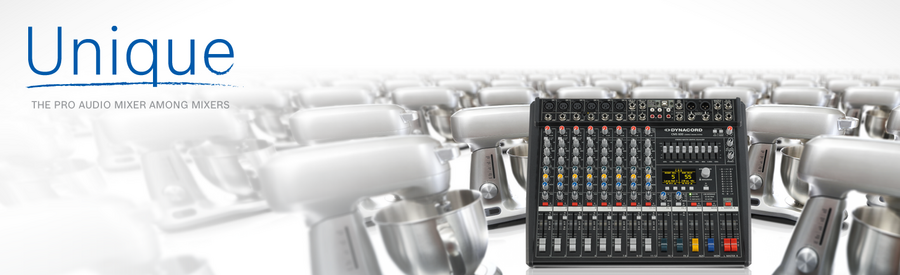
If you've ever walked into a venue, community hall, or school auditorium and heard clear, well-balanced sound coming through the speakers, there's a good chance a powered mixer was doing the heavy lifting behind the scenes. But if you're new to live sound, the term "powered mixer" might not mean much yet — and that's perfectly fine.
This guide is written specifically for people who are just starting to explore PA systems and live sound equipment. We'll use the Dynacord CMS 600-3 as our example to walk through everything you need to understand about powered mixers, what they do, why they exist, and how to decide if one is the right choice for your needs.
By the end, you'll have a solid understanding of this entire product category — not just the Dynacord — so you can make a genuinely confident decision.
What Exactly Is a Powered Mixer?
Let's start with the basics. In live sound, you typically need three core pieces of equipment:
- A mixer (or mixing console) — This is where all your microphones, instruments, and audio sources plug in. The mixer lets you control the volume, tone, and balance of each source.
- An amplifier — This takes the mixed audio signal and makes it powerful enough to drive loudspeakers.
- Speakers — These project the amplified sound to your audience.
In a traditional setup, the mixer and amplifier are separate units. A powered mixer combines the first two into a single box. Think of it like a car with a built-in GPS — instead of buying the navigation unit separately, it's already integrated.
The Dynacord CMS 600-3 is exactly this: a professional-grade mixer with a built-in power amplifier. You plug your microphones and instruments into it, adjust your sound, and it sends amplified audio directly to your passive speakers. One less box to buy, carry, and connect.
Who Is Dynacord, and Why Should Beginners Care?
You might not have heard of Dynacord before, and that's completely normal if you're new to pro audio. Here's the short version: Dynacord is a German audio manufacturer that's been building professional sound equipment since the 1940s. They're part of the same family as brands like Electro-Voice and Bosch, which are names you'll encounter frequently in the professional audio world.
Why does this matter for a beginner? Because when you're investing in your first serious piece of audio equipment, reliability and build quality matter enormously. Dynacord gear is designed for professional use — meaning it's built to handle real-world conditions like extended use, transport between venues, and the occasional bump or knock. You're not buying something that'll let you down at your first gig.
Understanding the CMS 600-3: What All Those Features Actually Mean
Product specifications can look like alphabet soup when you're starting out. Let's break down the key features of the CMS 600-3 in plain language.
Channels — Your Audio Inputs Explained
When you see "channels" on a mixer, think of them as individual parking spots for different audio sources. The CMS 600-3 offers six channel strips, which is a comfortable number for smaller to mid-sized setups.
What can you plug into these channels? Practically anything:
- Microphones — for vocals, speeches, or instrument miking
- Guitars or keyboards — plugged in directly or through a DI box
- Laptop or phone audio — for backing tracks or presentations
- Other audio sources — media players, wireless mic receivers, and more
For a beginner, six channels is actually a sweet spot. It's enough to handle a small band, a presentation with multiple microphones, or a community event without being overwhelming to manage.
Built-in Effects (FX) — What They Are and Why They Matter
The "FX" in the product name stands for effects. If you've ever sung in a tiled bathroom and noticed your voice sounding richer and more resonant, you've experienced a natural version of what audio effects do electronically.
The CMS 600-3 includes built-in digital effects, with reverb being the most commonly used. Here's why this matters:
- Reverb adds a sense of space and warmth to vocals and instruments. Without it, vocals through a PA can sound dry and harsh. A touch of reverb makes everything sound more natural and polished.
- Delay, chorus, and other effects give you creative options for shaping your sound.
Without built-in effects, you'd need to buy a separate effects processor — another box, more cables, more complexity. Having quality effects built right into the mixer is a genuine convenience, especially when you're starting out and want to keep things simple.
EQ (Equalisation) — Shaping Your Sound
EQ is one of those terms you'll hear constantly in audio. It simply means adjusting the balance of different sound frequencies — bass (low), midrange (middle), and treble (high).
Think of it like the bass and treble knobs on a car stereo, but more precise. The CMS 600-3 provides EQ controls on each channel, so you can brighten up a vocal that sounds muddy, or reduce harshness from a microphone that's picking up too much high-frequency content.
The mixer also typically includes a graphic EQ on the main output. This is your master tone control for the overall sound going to the speakers. It's incredibly useful for compensating for room acoustics — every room sounds different, and the graphic EQ lets you fine-tune accordingly.
The Built-in Power Amplifier — Your Sound Engine
This is where the "powered" part comes in. The CMS 600-3 has a built-in amplifier capable of driving passive speakers directly. This is a significant advantage for beginners because:
- You don't need to buy a separate power amplifier — saving money and simplifying your setup
- The amp is matched to the mixer — Dynacord has engineered both components to work together optimally
- Fewer cables and connections — less that can go wrong on the day
The amplifier section delivers clean, reliable power suitable for small to medium venues, meeting rooms, houses of worship, schools, and similar spaces. It's not designed to fill a stadium, but for the environments most beginners work in, it's more than capable.
Phantom Power — Don't Let the Name Scare You
You'll see "phantom power" (often labelled as +48V) mentioned in the specs. Despite the spooky name, it's straightforward: some microphones (called condenser microphones) need electrical power to operate. Instead of batteries, phantom power sends that electricity through the same cable that carries the audio signal.
The CMS 600-3 provides phantom power, which means you can use professional condenser microphones without any additional equipment. If you're using standard dynamic microphones (like the common Shure SM58), phantom power won't affect them — it's perfectly safe to have it switched on.
Why Choose a Powered Mixer Over Separate Components?
This is one of the most common questions beginners ask, and it's a great one. Here's an honest breakdown:
Advantages of a Powered Mixer Like the CMS 600-3
- Simplicity — One unit to learn, transport, and set up. Ideal for beginners who don't want to troubleshoot multiple components.
- Cost-effectiveness — Buying a mixer and amplifier separately often costs more than a combined unit at this level.
- Portability — One box instead of two means easier transport, which matters enormously if you're loading gear into a car boot regularly.
- Reliability — Fewer connections between components means fewer potential points of failure.
- Matched components — The mixer and amplifier are designed to work together, eliminating compatibility guesswork.
When Separate Components Might Be Better
In the interest of giving you complete information:
- If you need significantly more power — Very large venues or outdoor events may need more amplification than a powered mixer provides.
- If you want maximum flexibility — Separate components let you upgrade individual pieces independently.
- If you're building a permanent installation — Fixed venues sometimes benefit from rack-mounted separates.
For most beginners, though, a powered mixer like the CMS 600-3 hits the right balance between capability and simplicity.
Common Beginner Mistakes to Avoid
Learning from others' mistakes is one of the smartest things you can do. Here are the most common pitfalls new powered mixer owners encounter:
1. Using Active Speakers with the Powered Output
This is important. The amplified outputs on the CMS 600-3 are designed for passive speakers (speakers without their own built-in amplifiers). Connecting active (powered) speakers to the amplified output can damage both the mixer and the speakers. If you're using active speakers, use the mixer's line-level outputs instead. Always check which type of speakers you have before connecting anything.
2. Running Everything at Maximum Volume
It's tempting to push all the faders to the top when things aren't loud enough. But this introduces distortion and can damage speakers. Instead, learn about gain staging — setting each channel's gain knob correctly first, then using the faders for balance. The owner's manual walks you through this, and it's the single most important skill for getting clean sound.
3. Ignoring the Room
The same mixer will sound completely different in a carpeted meeting room versus a tiled church hall. Hard surfaces create reflections and echo. Use the graphic EQ to compensate, and don't be afraid to reduce the reverb effect in naturally reverberant rooms — adding reverb to an already echoey space makes everything muddy.
4. Not Carrying Spare Cables
This isn't about the mixer itself, but it's the number one piece of advice from experienced sound operators: always bring spare XLR and speaker cables. Cables fail more often than any other component. A $20 spare cable can save an entire event.
What You'll Need Alongside the CMS 600-3
The mixer is the brain of your system, but it needs a few friends to make sound happen. Here's your essential shopping list:
- Passive speakers (a pair) — Look for speakers rated to handle the power output of the CMS 600-3. Your local audio specialist can help match these.
- Speaker cables — These connect the mixer's amplifier output to your speakers. Don't use instrument cables — they're not designed for this and can cause problems.
- Microphones — At minimum, one decent vocal microphone. Dynamic microphones like the Shure SM58 or similar are rugged and forgiving for beginners.
- XLR cables — These connect microphones to the mixer. Buy quality cables and they'll last years.
- Speaker stands (optional but recommended) — Getting speakers up to ear height dramatically improves sound coverage.
Setting Up for the First Time: What to Expect
Your first setup will take longer than subsequent ones — that's completely normal. Here's a realistic picture:
Allow about 30-45 minutes for your first setup. This includes unpacking, connecting speakers, plugging in microphones, and getting a basic sound check done. After a few times, you'll have it down to 15-20 minutes.
The CMS 600-3's layout follows standard mixer conventions, which is actually good news. Once you learn this mixer, you'll understand the basics of virtually any mixer you encounter in the future. The skills transfer directly.
Start simple. For your first session, plug in one microphone, get it sounding good, then add sources one at a time. Trying to set up everything simultaneously is a recipe for frustration. Build your confidence gradually.
Who Is the Dynacord CMS 600-3 Best Suited For?
Based on its feature set and design, the CMS 600-3 is particularly well-suited for:
- Houses of worship — Where reliable, clear sound reinforcement is needed weekly without a dedicated sound engineer
- Schools and community centres — For assemblies, performances, and events where simplicity matters
- Small bands and solo performers — Who need a portable, all-in-one solution for pub gigs, markets, and functions
- Corporate presentations — Meeting rooms and small conference setups where speech clarity is paramount
- DJ and MC work — Combining music playback with microphone inputs for events and functions
The Dynacord Build Quality Difference
One thing worth highlighting for beginners: not all mixers are built the same. The CMS 600-3 reflects Dynacord's German engineering heritage with a robust chassis and components designed for long-term professional use. The faders, knobs, and connectors are built to withstand the rigours of regular use and transport.
This matters because a mixer that develops crackly knobs or loose connections after six months isn't just annoying — it's unreliable. When you're responsible for sound at an event, reliability isn't optional. Dynacord's reputation in this area is well-earned over decades of professional use worldwide.
Frequently Asked Questions from Beginners
Can I record with the CMS 600-3?
The mixer provides output connections that can feed a recording device. While it's not primarily designed as a recording console, you can capture a stereo mix of your performance or event by connecting the appropriate output to a laptop interface or portable recorder.
How loud will it go?
"Loud enough" depends on your speakers and room size. For small to medium indoor venues — think rooms holding 50 to 200 people — a properly matched speaker setup with the CMS 600-3 will comfortably fill the space with clean sound. For larger spaces or outdoor events, you may eventually want to explore more powerful options.
Is it hard to learn?
Honestly? The basics are straightforward. Understanding gain, EQ, and effects takes a little practice, but most people are comfortable running basic events within a few sessions. The key is to start simple and build your skills over time. Every professional started exactly where you are now.
Do I need any technical knowledge?
No formal training is required. If you can follow a manual and are willing to experiment with the controls during a non-critical practice session, you'll be fine. There are also excellent free resources and tutorials online that cover basic live sound principles.
Your Next Step
If you're considering the Dynacord CMS 600-3 for your first powered mixer setup, the best thing you can do is think about your specific needs first. How many microphones will you typically use? What size rooms will you be working in? What's your total budget including speakers and cables?
Once you've got those answers, you'll be in a strong position to make a confident decision.
View the Dynacord CMS 600-3 Mixer with FX at MusiconStage to see full specifications and current Australian pricing.
Have questions about whether this mixer is right for your particular situation? The team at MusiconStage can offer personalised advice based on your needs — don't hesitate to reach out. That's exactly what they're there for.
And remember: every great sound operator started as a complete beginner. The fact that you're doing your research now puts you ahead of most people. Get started with the Dynacord CMS 600-3 today and take the first step into the rewarding world of live sound.